Gnoppix Messenger
NOW in Beta Test - Decentralized, post quantum encrypted P2P/Mesh Open Source Messenger - no phone, no email, no PII. Identity is derived entirely from a local GPG key pair; the server never sees a real-world identifier.
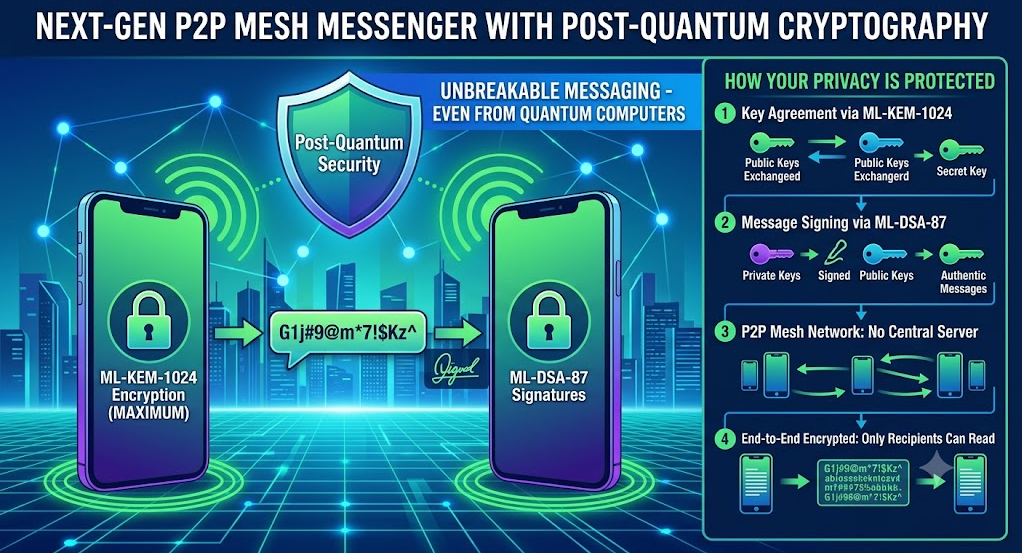
Messages are encrypted with ML-KEM-1024 (NIST FIPS-203) and signed with ML-DSA-87 (FIPS-204) — implemented in-process in Rust, no external crypto dependency. Think of it as a BitTorrent for messaging.
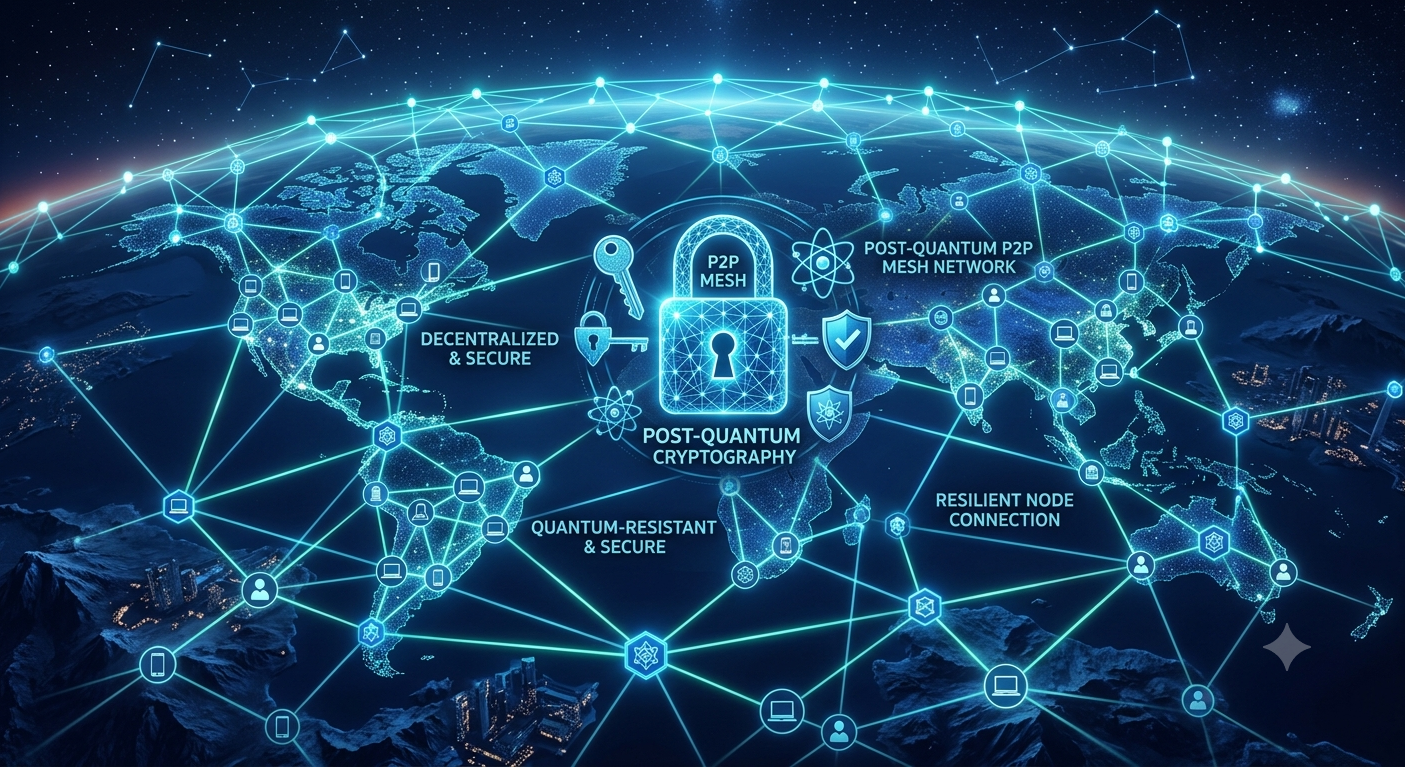
Why Post-Quantum Messaging?
Newer and faster computers will soon make it possible to decrypt today's messages on "normal" chat programs. Furthermore, with backdoors and decryption methods built into these platforms, mass worldwide surveillance becomes effortless.
With Add, that is impossible. There is no central server in between, and your messages aren't just strongly encrypted — they are super strongly encrypted.
Core Features
Zero-Knowledge Identity
8-character Null ID (NN-XXXX-XXXX) is a deterministic hash of your GPG fingerprint. No sign-up, no account.
Post-Quantum Encryption
Every message encrypted with ML-KEM-1024 (FIPS-203) + AES-256, signed with ML-DSA-87 (FIPS-204) — all in-process, no external crypto binary.
Forward Secrecy
Double ratchet with per-message ephemeral keys. Past messages remain unreadable even if the long-term key is compromised.
Peer-to-Peer Messaging
Direct WebSocket connections when both peers are online. Handshake with proof-of-work + signature verification.
DHT Mailbox
Encrypted messages stored in a Kademlia-style DHT when the recipient is offline. Retrieved on reconnect (polled every 30s).
Anti-Spam PoW
DHT writes require difficulty 16 (~0.5s), P2P handshakes require difficulty 12 (~0.1s).
NAT Traversal
STUN + UDP hole punching for clients behind home routers. Listener binds a fixed port so the advertised address matches the real inbound socket.
Federated Relays
Relays can peer with each other for cross-relay message delivery with HMAC-authenticated challenge-response.
Desktop & CLI
Cross-platform desktop app (add-desktop) with local, privacy-preserving avatars — plus a full-featured terminal client for lean environments and automation.
Now Available
-
Desktop UI —
add-desktop(Electron + React). Local gradient Initials avatars, no third-party image requests. Install via the deb above. - File sharing — send files over the encrypted P2P channel.
-
CLI client —
add init,add send,add listen,add chatand more.
How the Connection Is Encrypted
Encryption is not bolted on only at the message layer — the entire communication channel is post-quantum from the first byte. Add uses a three-layer model so that both the transport session and every individual message are protected against a quantum adversary.
1 · Post-Quantum Key Agreement (ML-KEM-1024)
During the p2p-hello handshake each side runs an ML-KEM-1024 encapsulation. The initiator encapsulates to the recipient's ML-KEM public key, establishing a shared secret that no quantum computer can recover (FIPS-203). This shared secret seeds the session.
2 · Forward-Secret Channel (Double Ratchet)
The ML-KEM shared secret boots a Double Ratchet session. Each frame derives a fresh AES-256-GCM key, so a compromised key exposes only a single message — past and future traffic stay sealed. The channel itself, not just the stored blob, is encrypted end-to-end.
3 · Authenticated Frames (ML-DSA-87)
Every handshake and message frame carries a detached ML-DSA-87 signature (FIPS-204). The recipient verifies the signature against the peer's identity before any plaintext is processed — defeating MITM injection even before decryption.
Layered View
In short: the connection is negotiated with post-quantum key exchange and kept confidential with a ratcheting symmetric cipher — message encryption is just the visible top of a fully post-quantum channel.
Quick Start
Prerequisites
- Gnoppix Linux 26.7
-
Python 3.13+ (only for the legacy
set_key_trusthelper shown below) - All post-quantum crypto (ML-KEM-1024, ML-DSA-87) is built in — no GnuPG install required
1 Alice creates an identity
add init
# -> identity created: NN-P4DM-WZPF
add id
# -> Null ID:     NN-P4DM-WZPF
# -> fingerprint: F5B0F201378A72EF973A88D170B7096AD5713AA7
add export > alice_pub.asc
2 Bob creates an identity
add init
# -> identity created: NN-VJWY-YQMK
add export > bob_pub.asc
3 Exchange public keys
# Alice imports Bob's key
add import bob_pub.asc --alias NN-VJWY-YQMK

# Bob imports Alice's key
add import alice_pub.asc --alias NN-P4DM-WZPF
Verify fingerprints out-of-band before trusting! Then set trust:
# Alice sets trust for Bob
python3 -c "from crypto import set_key_trust; set_key_trust('BOB_FP', 'ultimate')"

# Bob sets trust for Alice
python3 -c "from crypto import set_key_trust; set_key_trust('ALICE_FP', 'ultimate')"
4 Start P2P listeners
# Alice
add listen --port 9001

# Bob (different terminal)
add listen --port 9002
5 Chat
# Alice sends to Bob
add send NN-VJWY-YQMK "Hello post-quantum world!" --fingerprint BOB_FP

# Or interactive chat
add chat NN-VJWY-YQMK --fingerprint BOB_FP
> Hello Bob!
> /quit
CLI Reference
| Command | Description |
|---|---|
init | Generate a PQC identity (Kyber-768 + brainpoolP384r1) |
id | Show your Null ID and GPG fingerprint |
export | Print your armored PGP public key to stdout |
import <file> | Import a peer's public key from file (or stdin) |
import <file> --alias <NID> | Import and register as a contact |
contacts | List registered contacts (NID → fingerprint) |
listen --port N | Start P2P listener and advertise address in DHT |
send <NID> <msg> | Send a message to a peer (P2P or DHT mailbox) |
send <NID> <msg> --fingerprint <FP> | Send using explicit fingerprint |
chat <NID> | Interactive P2P chat session |
chat <NID> --fingerprint <FP> | Chat with explicit fingerprint |
register / register-all-bootstraps | Register identity with bootstrap DHT server(s) |
check-register | Check registration status across all bootstrap servers |
status | Show DHT status |
Environment Variables
| Variable | Default | Description |
|---|---|---|
ADD_RELAY | wss://relay-us.gnoppix.org/ws | Relay URL (fallback only) |
GNUPGHOME | ~/.gnupg | OpenPGP keyring directory (Sequoia, in-process) |
ADD_DHT_BOOTSTRAP | (DNS SRV auto-discovery) | Comma-separated bootstrap DHT seeds |
P2P Node
When you run listen, the node starts a DHT node (joins the Kademlia network via bootstrap seeds), starts a P2P WebSocket listener on the specified port, advertises your address in the DHT, and polls your DHT mailbox every 30s for offline messages.
add listen --port 9001Sending a Message
The client tries direct P2P first. If the peer is unreachable, it falls back to storing an encrypted blob in the DHT mailbox:
add send NN-VJWY-YQMK "Hello!" --fingerprint BOB_FPDHT Diagnostics
# Look up a peer's address
add status

# Check your own registration
add check-register
Legacy Relay Deployment
The relay is a legacy fallback for environments where P2P is not possible. The primary architecture is P2P + DHT.
Docker
docker build -t add-relay .
docker run -d \
  --name add-relay \
  --restart unless-stopped \
  -p 8765:8765 \
  add-relay
Native
add relay --host 0.0.0.0 --port 8765 --verboseFederation
Relays can peer with each other for cross-relay message delivery:
# On relay A: peer with relay B
add relay --port 8765 --peer wss://relay-b.example.com:8765 --peer-secret SHARED_SECRET
Architecture
End-to-End Message Flow
Identity and Key Exchange
Wire Protocol (P2P)
Wire Protocol (DHT Mailbox)
Key Material Flow
Network Topologies
1. P2P + DHT (Current Default)
Each client runs a P2P node + DHT node. Messages flow directly when both peers are online. Offline messages are stored in the DHT. No relay needed. Already implemented.
2. Legacy Relay (Fallback)
All clients register with one relay. The relay forwards messages to the right WebSocket. Offline messages are queued (max 100, TTL 300s). Implemented in add relay. Kept as fallback.
3. Federated Relays
Relays peer with each other over a separate inter-relay WebSocket. Routes gossiped every 60s. HMAC challenge-response authenticates peer connections. Implemented in add relay.
4. Mesh (DHT Only, No Relays)
Every node runs a DHT client (Kademlia). To send a message: look up recipient in DHT, connect directly, handshake, exchange messages. Implemented in add + DHT core.
Topology Comparison
| Topology | SPOF | Offline Delivery | Address Discovery | Complexity |
|---|---|---|---|---|
| P2P + DHT (default) | No | Yes (DHT mailbox) | DHT | Medium |
| Legacy relay | Yes | Yes (queue) | None (same URL) | Low |
| Federated relays | No | Yes (per-relay queue) | Gossip or DHT | High |
| Mesh / DHT | No | No | DHT | Medium |
Support the Project
Please consider supporting Add! The project cannot fund all of the required hosting servers on its own.
Become a Sponsor